 Shiguang

Save as you browse
Right-click to save a page, text selection, image, or link. You can also copy and paste into the workspace.
Save pages, text, and images, then map their relationships on a board. Select the materials you want to explore with AI.
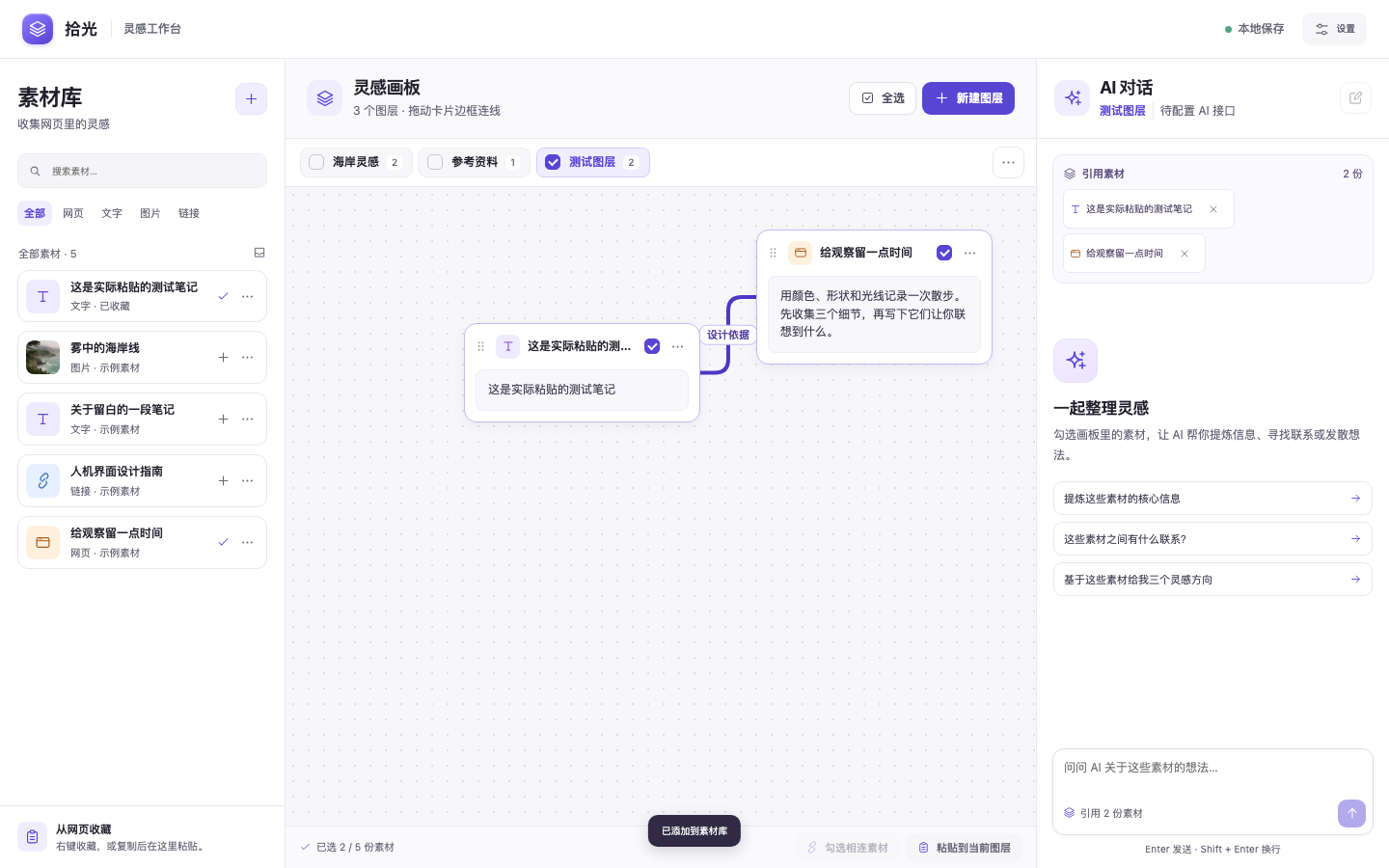
Bring what you find on the web into a workspace where you can keep asking questions.
Right-click to save a page, text selection, image, or link. You can also copy and paste into the workspace.
Arrange materials in layers, drag connections from card edges, and label how items relate.
Select individual or linked items to give AI their content and relationships. Each layer has its own chat.
Download the preview, unzip it, and load it manually in Chrome.
Download v0.7.4Unzip the download and keep the shiguang folder.
Enter chrome://extensions in the address bar.
Turn on Developer mode, click Load unpacked, and select the extracted shiguang folder.
The local workspace is free to download and use. Paid subscriptions are billed monthly.
US$10 / month
Includes 5 million AI tokens per billing period, deducted as you use them. Renews monthly. Cancel before your next charge.
Subscription and refund termsYou can use the local workspace right away. Materials, boards, and chat history are stored in your current Chrome profile.
In an installation that supports subscriptions, open Subscription & usage and verify your subscription with your Chrome account. The website download is an unpacked preview. Subscription authorization requires a registered extension ID.
When you send a message, the extension sends selected materials, connections and labels between selected items, and the current layer’s chat history to Shiguang AI.